
After installing the CusRev Pro add-on for WooCommerce, the plugin provides an option to automatically capture reviewers’ geolocation on on-site review forms.
This option is available in the Review forms tab of the CusRev plugin settings in the WordPress admin console.
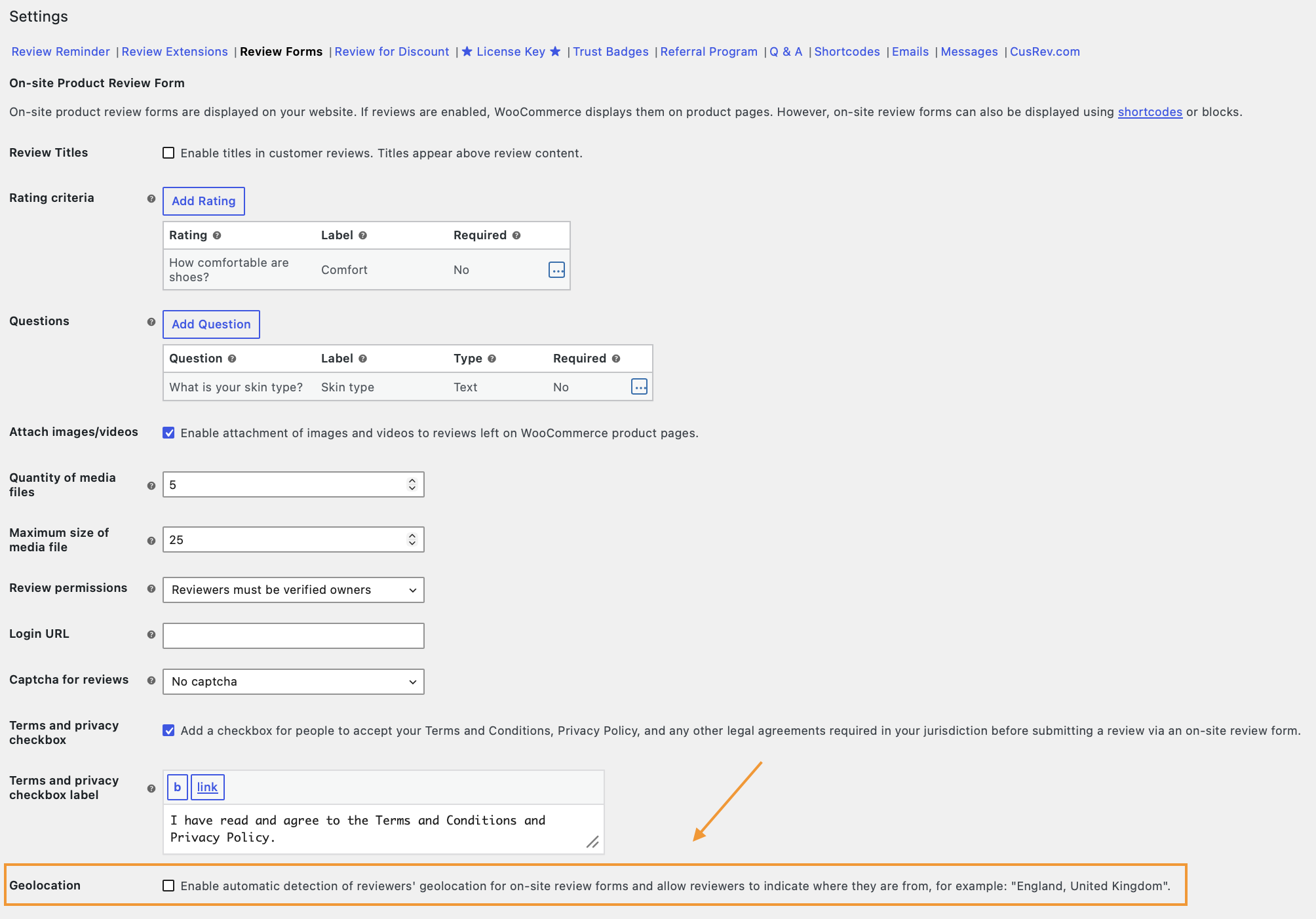
By default, each Pro license key includes 1,000 geolocation determination requests per month. When this monthly allowance is exceeded, the following error is displayed:
The limit of geolocation requests per month was exceeded
How to Lift the Limit
To purchase additional geolocation requests:
- Go to the CusRev dashboard: www.cusrev.com/dashboard
- Find the relevant Pro license key
- Open the menu in the Actions column
- Select Get geolocation requests
- Purchase the required additional request allowance
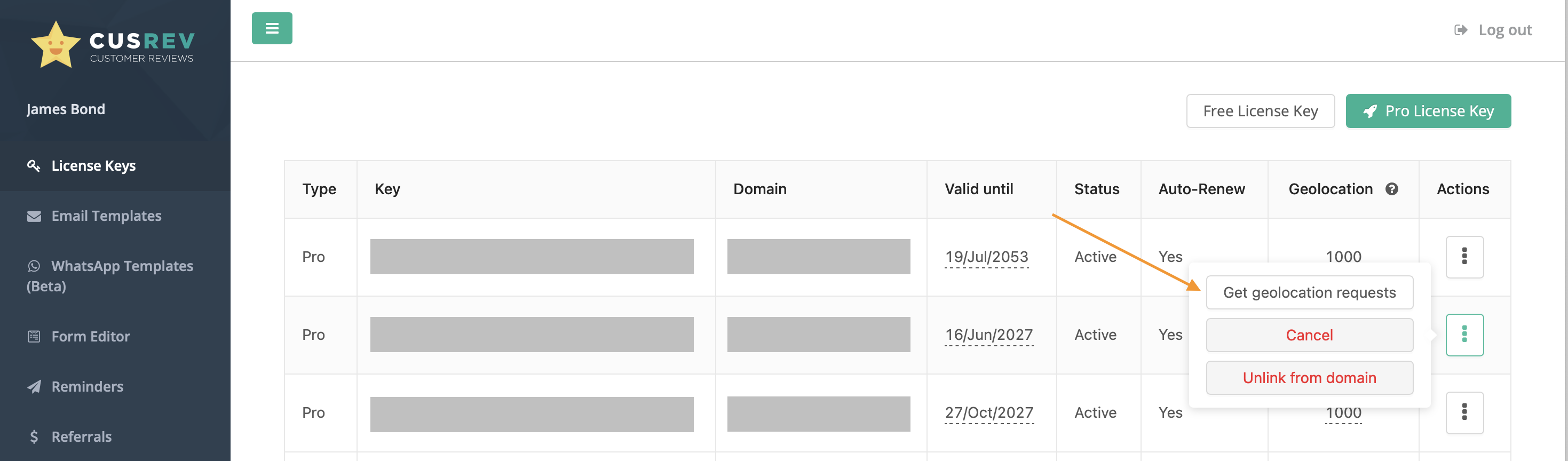
After the additional allowance is purchased, the geolocation request limit will be increased. The error will then be resolved, and automatic geolocation detection will resume for on-site review forms.
How to View Geolocation Usage
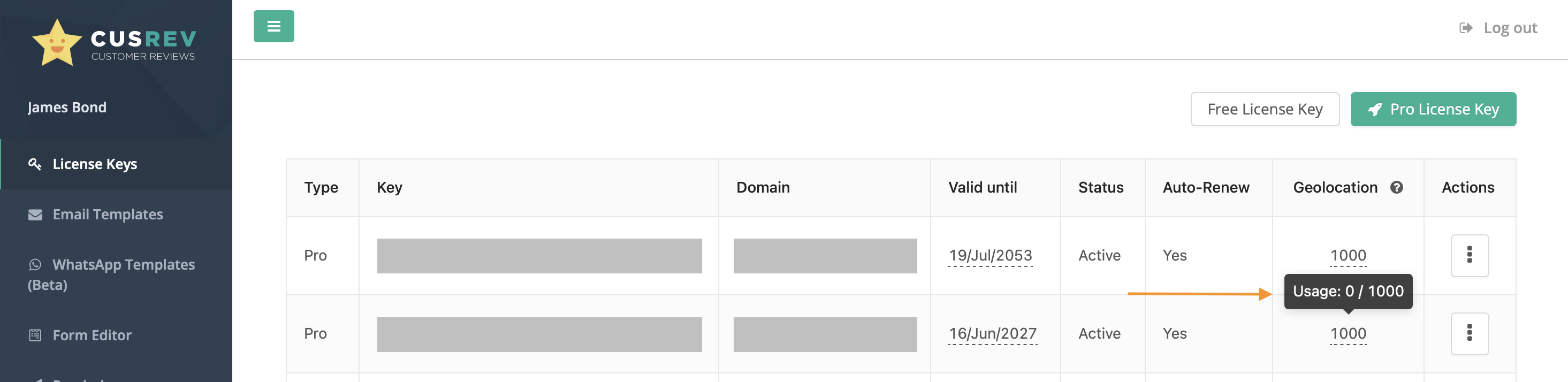
You can also view geolocation request usage in the CusRev dashboard. Hover your mouse cursor over the request limit shown in the Geolocation column to see how many requests have been used and how many remain for the current month.
More questions?
We hope that this tutorial was helpful. If you have any questions about the plugin, please don't hesitate to post them on our support forum or submit a ticket for our support team (available for customers with Pro licenses).